
Counts every passage. Reconstructs every route.
Identifies no one.
Turns an existing CCTV system into a traffic counting station: how many passages, of what type and in which direction, on every road section. A 360° view of how busy the road is — on-premise, on aggregated data, with no biometric recognition.
New heatmap, congestion alerts, routes and prohibited movements · discover
On every road section TrafficTrace recognises 12 types of road users and reconstructs their numbers, direction and density over time. It is the data foundation for a traffic plan built on real passages, not estimates.
Counts flows by direction on every section: useful for checking one-way streets, turning movements and how traffic is split.
Identifies low-traffic sections where road layout, public space or parking could be rethought.
Reconstructs trends over time to show where and when the road is busiest.
Distinguishes people, cycles, cars and heavy vehicles: the real basis for a detailed traffic plan.
12 types, grouped into 8 modal classes
The new features turn counts into operational tools for Local Police and mobility departments.
A heatmap shows at a glance the traffic intensity on every monitored section, by time slot and day of the week. You immediately see where and when the network saturates.
Illustrative example · white dots are cameras
When a section becomes congested, operators are alerted immediately with the exact location: queues are known before anyone reports them.
Set a traffic threshold for each section: when it is exceeded, a notification is sent. Useful for events, roadworks, school pick-up times and temporary diversions.
TrafficTrace reconstructs vehicle journeys between monitored sections: where they come from, where they go, which routes are used most. The licence plate is never stored in clear text: as soon as it is read, it is turned into a cryptographic code (keyed hash), and routes are reconstructed by comparing codes only.
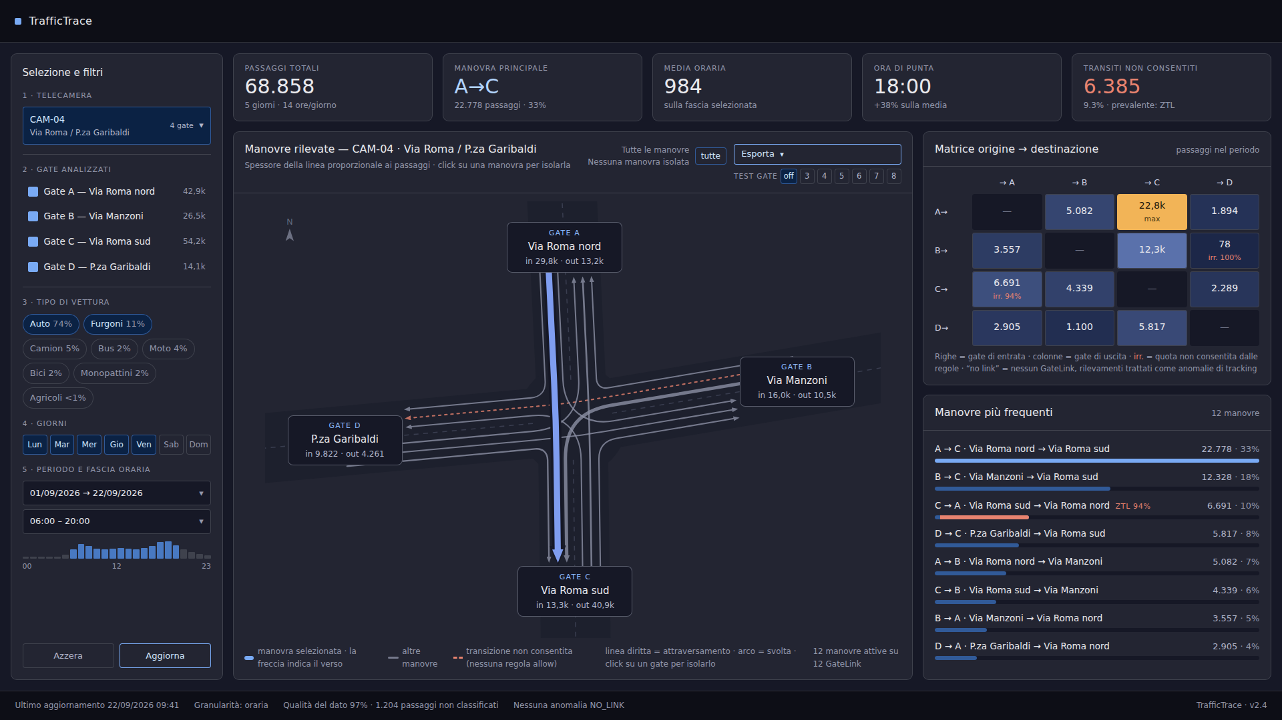
Define prohibited movements for each section, and TrafficTrace counts how many vehicles make them.
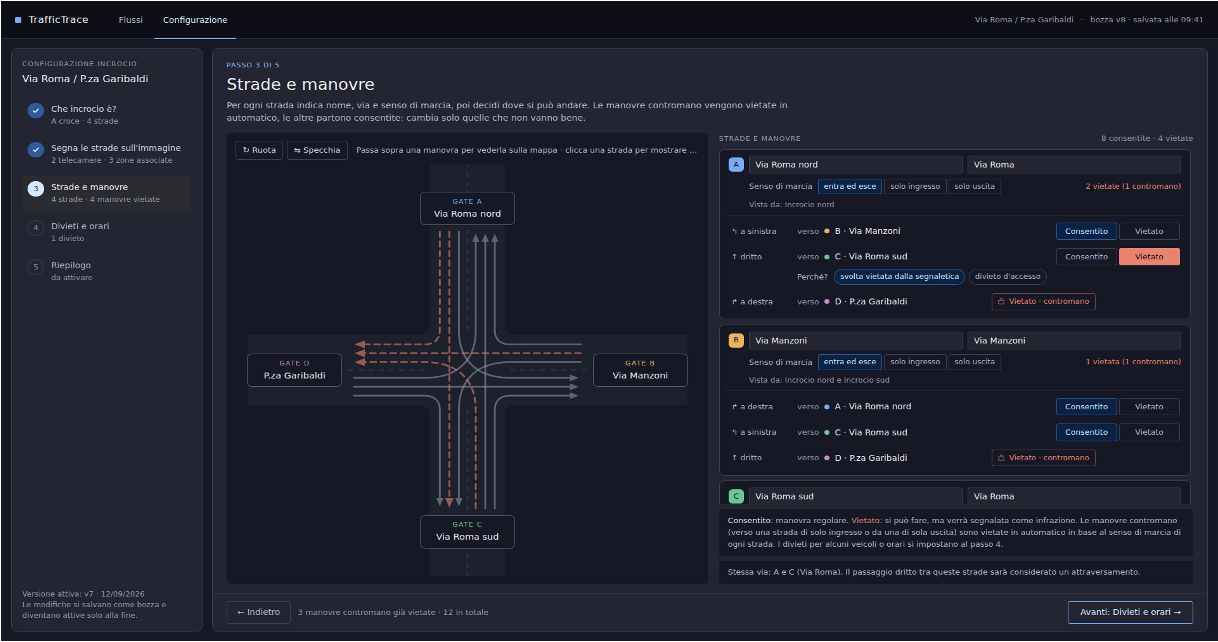
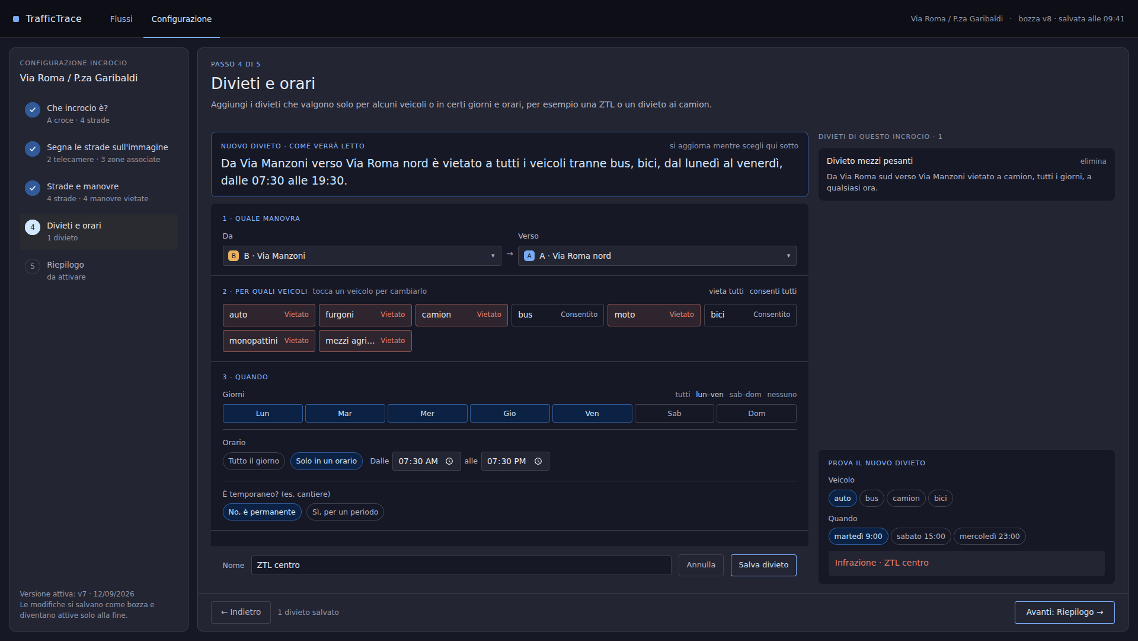
A monitoring and analysis tool: it does not establish violations and does not replace type-approved enforcement systems.
TrafficTrace needs no new camera infrastructure. It adds intelligence to the existing system and produces exactly the data you need.
Uses the cameras already installed across the territory. No new camera infrastructure, no additional cabling.
→The model analyses flows in real time, counts every passage by type and direction, and generates alerts and routes. All locally, on a server at the authority's premises.
→Browse by modal share, heatmap and time interval. Automated delivery of aggregated data to the regional platform (Annex 3) for at least 5 years.
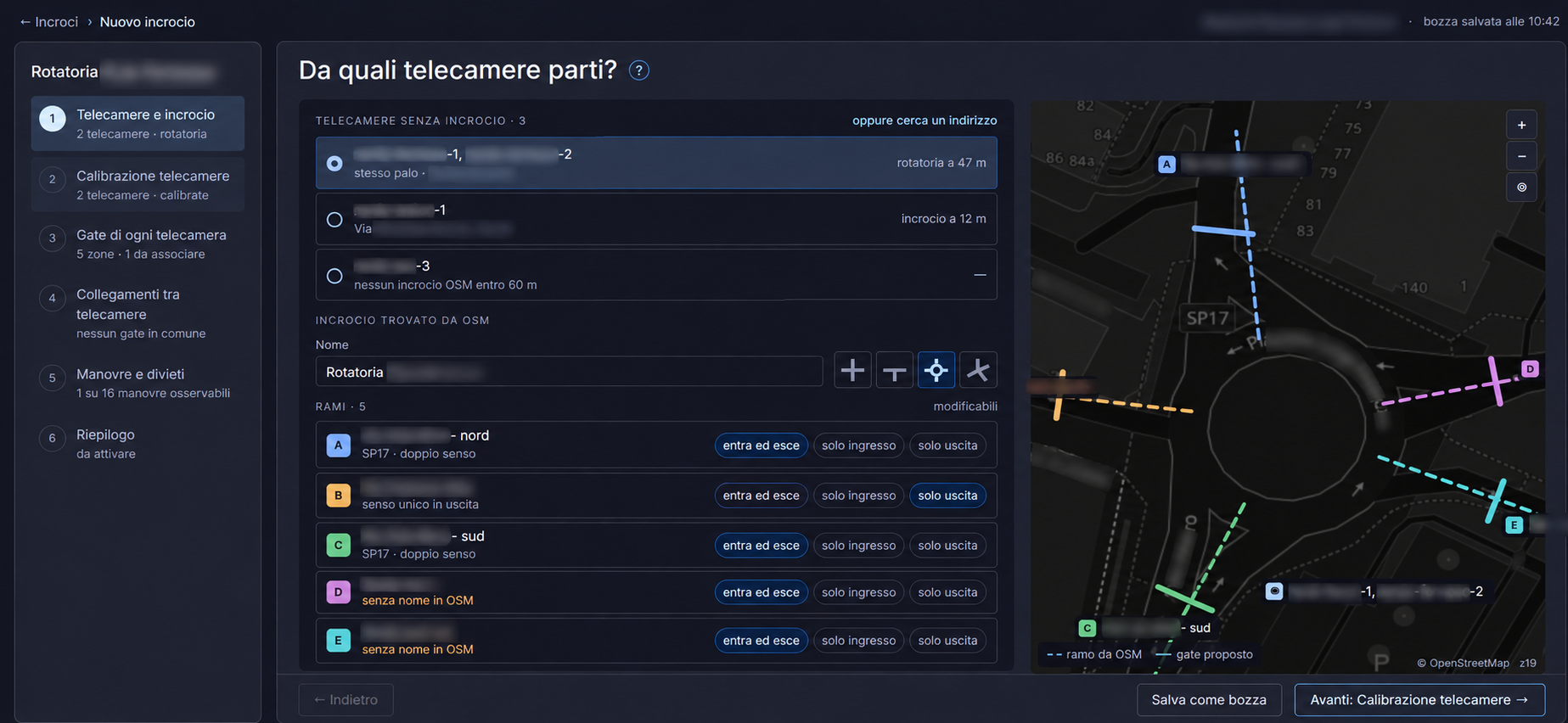
→Start from the cameras already installed: TrafficTrace finds the nearest intersection on OpenStreetMap, recognises its branches and suggests counting gates on the map.
TrafficTrace is installed at the implementing body's premises and runs in isolation: no exposure to the Internet, no remote servers, no dependence on foreign platforms.
Only the required aggregated data reaches the control centre — counts and modal split. Images never leave the public infrastructure, and the hash codes used for routes stay on the local server.
TrafficTrace is a statistical monitoring system. It measures flows, it does not identify people: counts are anonymous and aggregated, and the routes feature works only on pseudonymised licence plates, never stored in clear text. This design choice is what keeps it outside the prohibited practices and high-risk categories of the European Artificial Intelligence Regulation.
The system recognises the category of road user — pedestrian, cycle, vehicle — not people's identity. No remote biometric identification.
No biometric categorisation based on sensitive attributes, no emotion recognition: the practices prohibited by Article 5 of the AI Act.
The output is counts, modal shares and routes aggregated by time interval. Licence plates are handled only as keyed hashes, on the local server, and no images are transmitted.
Local processing and storage limited to what is necessary, in line with GDPR principles. The clear-text plate is discarded right after reading: personal data is not created where it isn't needed.
TrafficTrace is a monitoring tool for planning purposes, not a safety component that manages traffic nor a system for establishing violations: it does not fall under Annex III of the AI Act.
Isolated, updatable and auditable architecture, consistent with the supervisory role of Italy's National Cybersecurity Agency (ACN).
Risk classification under the AI Act depends on the purpose and actual configuration of the system at each authority. Artif4ct provides technical documentation to support the conformity assessment and any DPIA; the final assessment remains the responsibility of the data controller.
A direct mapping between the key requirements of municipalities and regions and TrafficTrace's features.
We'll set up a demo on your authority's existing camera system and provide the technical documentation to support your funding application.
Request a demo